
Account and profile
Where to edit your personal details, default cutting settings, manage your Pro subscription, and contact support.
What this page does
Your profile is where your account settings live. Here you edit your personal details, set defaults for new cutting projects (material, sheet size, margins), track your Pro subscription status, and reach out to support.
When to use it
- To change your first name, last name, or phone number.
- To set a default material and sheet size once — so you don't pick them again in every new project.
- To subscribe to, renew, or check the status of Pro.
- To contact support or sign out.
Where to find it
Bottom navigation bar → "Profile"
How to use it
Tap "Profile" in the app's bottom navigation bar.
These fields are in the top card, below your email address.
The button sits lower, in the "Default settings" card — it saves both your personal details and the settings below it.
In the "Default settings" card, pick the units, sheet size, and material you use most often — Raspili will pre-fill them into every new cutting project. Click "Save settings".
Month, 3 months, or a year — longer periods are usually cheaper.
You'll be taken to the YooKassa payment page.
After paying, you'll return to Raspili and Pro activates automatically.
Interface elements
The personal details and account status card.
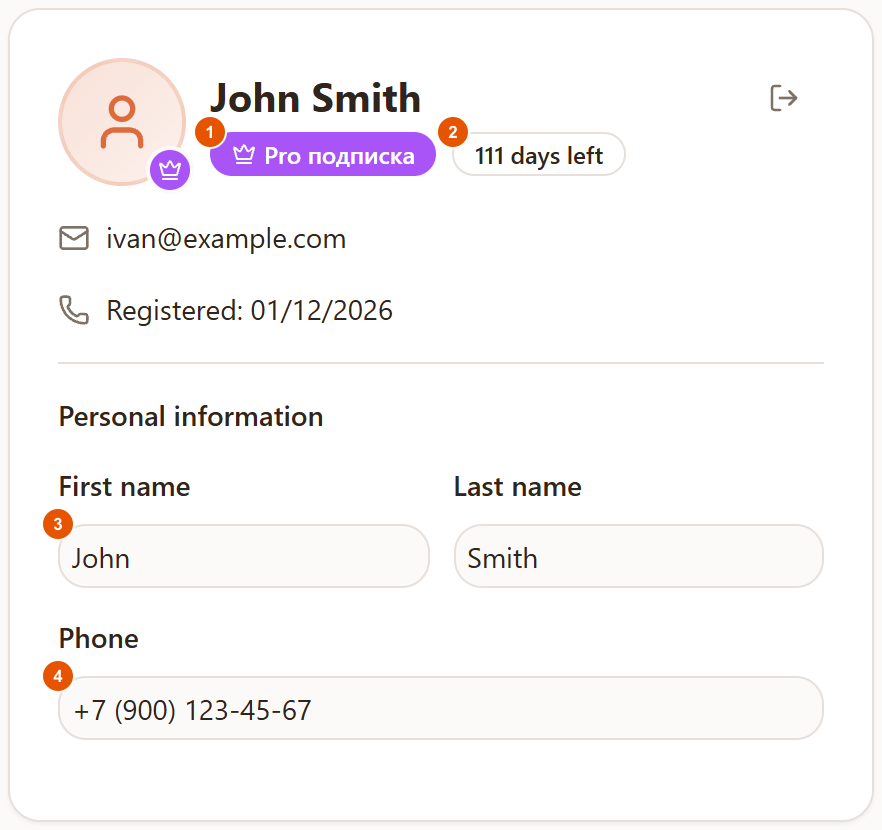
- 1Plan badge — "Pro подписка" (Pro subscription) or "Free план" (Free plan) — this badge stays in Russian even in English mode. Shows which features are available to you right now.
- 2"N days left" — how many days Pro is still active for. After that date the plan switches to Free.
- 3First and last name fields — up to 20 characters, optional, but used on cutting documents (specifications, PDFs).
- 4Phone field — optional; the
+7 (XXX) XXX-XX-XXmask is applied automatically as you type.
The arrow icon in the top-right corner of the card signs you out.
The default settings card for new cutting projects.
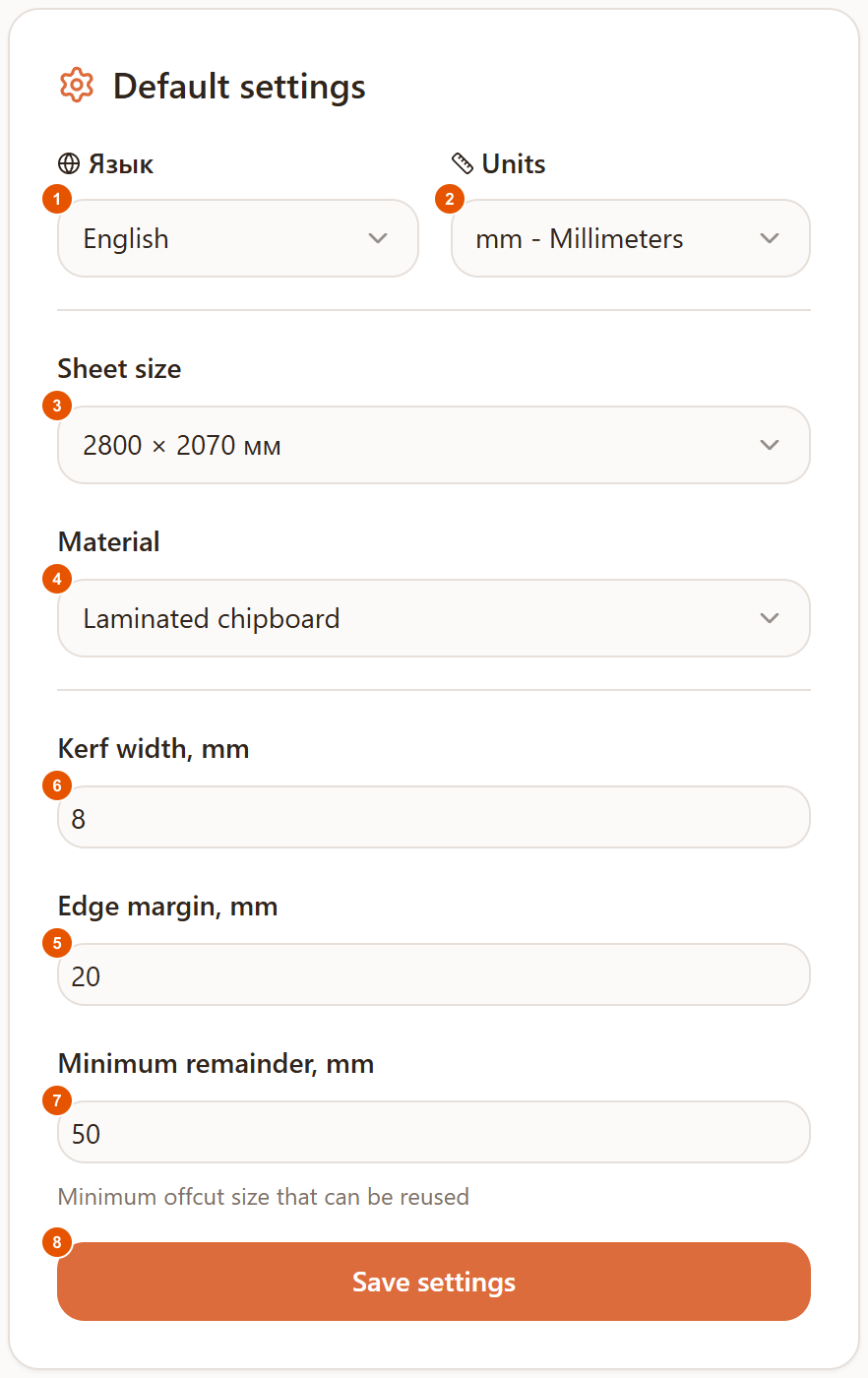
- 1"Язык" (Language) — switches the whole profile page's language; the field's own name stays "Язык" regardless. Takes effect after you click "Save settings" and the page reloads.
- 2Units — the measurement units (mm, cm, and others) used in new cutting projects.
- 3Sheet size — the default sheet dimensions for a new cutting project, pulled from the Raspili material catalog.
- 4Material — the default material for a new cutting project; you can leave it as "Не указан" (not set).
- 5Edge margin, mm — the margin from the sheet edge for a new project; up to 100 mm.
- 6Kerf width, mm — the saw blade thickness the cutting engine accounts for; up to 10 mm.
- 7Minimum remainder, mm — from what size an offcut is kept for reuse; up to 1000 mm.
- 8"Save settings" — saves this card together with the personal details card above it, both with one button.
Every field in this card only sets a default for new projects — you can always change it inside the project itself.
Pro subscription
The card with Pro benefits, a billing period choice, and the price.
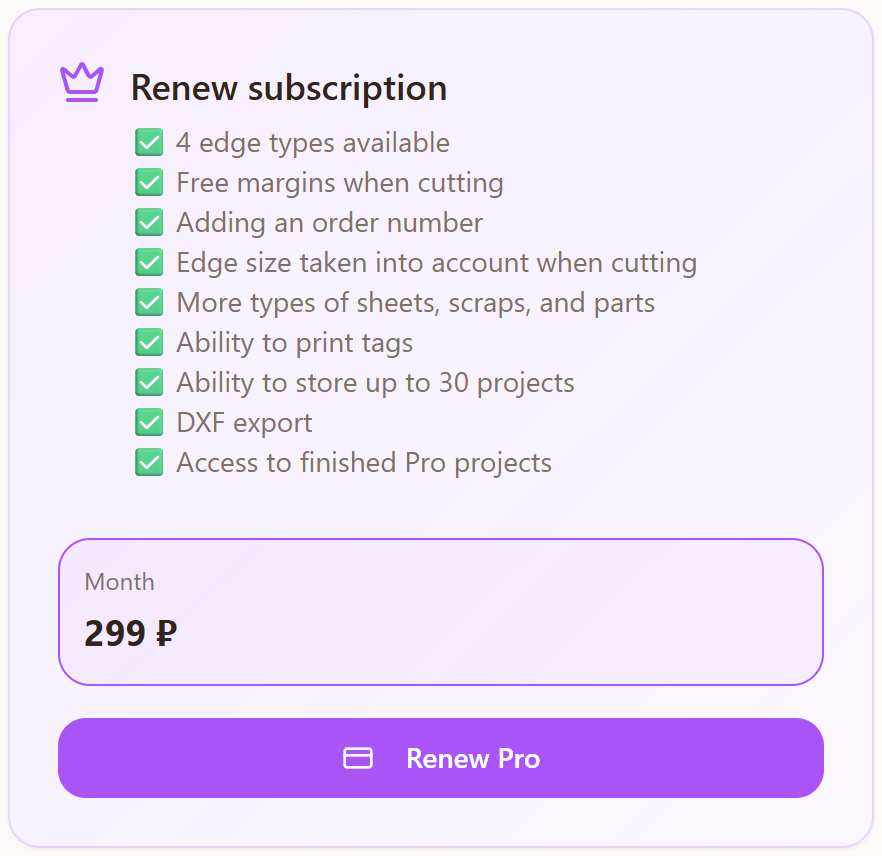
If Pro is already active, the button reads "Продлить Pro" (Renew Pro) — you can renew at any time, without waiting for the current period to end.
Feedback
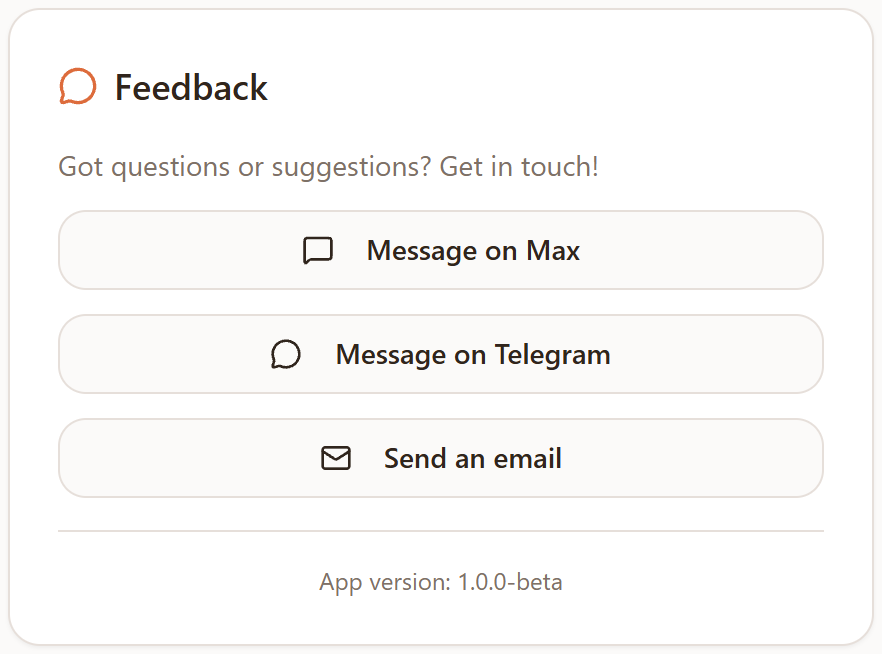
The card with support links — reach out via Telegram, Max, or email.
Possible errors
| What you see | Why it happens | How to fix it |
|---|---|---|
| "Invalid format" under the phone field | The number isn't complete — it needs 11 digits, starting with 7 or 8 | Finish typing the number in the format +7 (XXX) XXX-XX-XX. |
| The "Save settings" button doesn't do anything | The phone number is likely in the wrong format — the form won't save until it's fixed | Check the phone field for an error and correct it. |
| "Couldn't save settings" | A network or server issue while saving | Check your internet connection and click "Save settings" again. |
| "No internet connection" when subscribing to Pro | The device is temporarily offline | Check your connection and try subscribing again. |
| An error after paying for Pro | The payment didn't go through on the bank's or payment provider's side | Try a different card or pay again later. If it keeps happening, contact support. |
Tips
- Fill in your default material and sheet size — it saves you from picking them again in every new cutting project.
- After changing your name or phone, remember to click "Save settings" — there's no separate button for personal details alone.
- If something isn't working, contact support via Telegram, Max, or email in the "Feedback" card instead of waiting.
Frequently asked questions
How do I change my password?
Raspili doesn't use passwords to sign in — you sign in with Google, Yandex, or an email link, so there's nothing to change. See the "Sign up and sign in" article for details.
Do I have to fill in my name and phone number?
No, these fields are optional. But your first and last name are used on cutting documents — it's easiest to fill them in here once.
What happens if I don't renew Pro?
The plan switches to Free, and Pro features (extra edge-banding types, higher limits, and others) become unavailable.
Can I delete my account?
That's not available in the interface yet. If you need it, contact support via Telegram, Max, or email in the "Feedback" card.
Why does the phone number have to start with +7?
The field is built for a Russian phone number — 11 digits, starting with 7 or 8. The mask is applied automatically as you type.
How do I sign out?
Click the arrow icon in the top-right corner of the top profile card.